

 Authenticate
 Manage Users
 Customize
 Auth0 AI
 Platform
List and search for users
- Auth0 Dashboard
- Management API
To view a list of users, go to Dashboard > User Management > Users.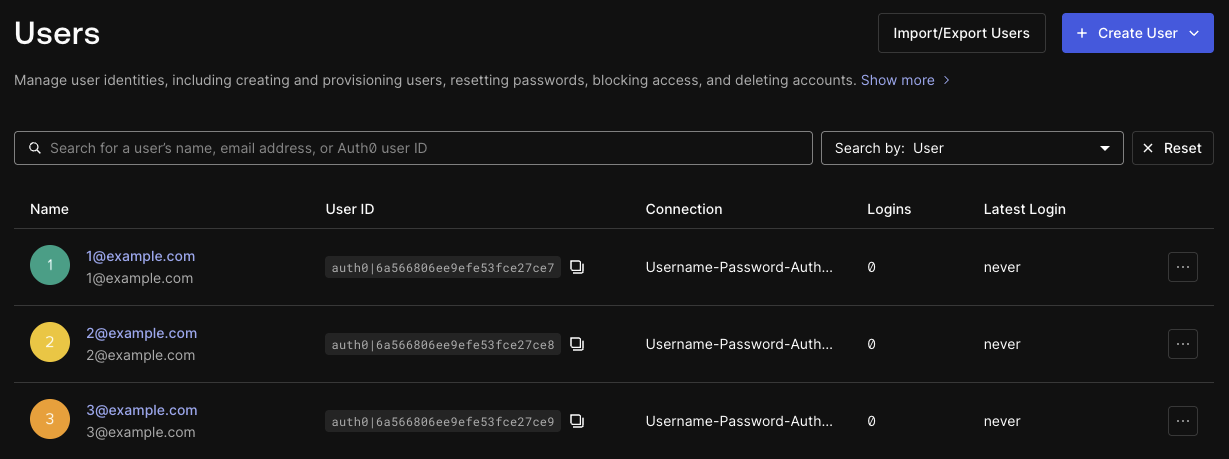 The search field and drop-down menu at the top of the page lets you search by the following properties:
The search field and drop-down menu at the top of the page lets you search by the following properties:- User
- Identity provider
- Connection
- Organization ID
- Login count
- Last login
- Phone number
Sort results
- Auth0 Dashboard
- Management API
In the Auth0 Dashboard, you can sort results by selecting the columns available in the table of users:
- Name
- User ID
- Connection
- Logins
- Latest Login
Performance recommendations
Use the following guidelines for better performance with user search:-
The Management API List or Search Users endpoint returns results in a deterministic order so the same query yields the same logically ordered results each time. Non-deterministic search is faster, so if deterministic search is not necessary for your use case, use non-deterministic search by setting
primary_order=false. -
Escape the space character (for example, write
q=name:John Doeasq=name:John\ Doe). - Minimize use of wildcards, especially on large data sets. When using wildcards, prefer using them as suffixes to the search term rather than prefixes.
- Avoid search criteria that return data sets with more than 1,000 results.
- Avoid existence queries (for example, “give me all users with a property regardless of its value”).
-
For user-defined attributes in
app_metadataanduser_metadata:- Keep metadata fields to 2 KB or less.
- Use consistent data types and static names for metadata properties.
- Avoid large schema sizes and deep structures.
-
Avoid user searches within login flow extension points like
post-loginActions. - Don’t poll the search APIs.
Limits
- Search returns a maximum of 1,000 users, even if more users match your query. When using the API, large results are paginated.
- When using the Management API’s List or Search Users endpoint, there is a 1 MB per-user limit on user data that can be indexed, queried, and returned. To retrieve all user attributes for a large user profile, get users by ID or email.
-
The Management API’s List or Search Users endpoint does not support sorting by
app_metadataoruser_metadata.